
Team Tapas
Current version 1.0 player reference
Garden of Witches Wiki
A first-run plan, room-choice help and plain-English 1.0 answers for players opening Garden of Witches for the first time.
Full release: 28 Aug 2026 · source-checked: 30 Aug 2026

Keep the default Scissors until you can finish its combo safely. At each door, choose the visible reward that supports that same action—or recovery when health is the real problem.
New player help
Solve the problem in front of you
Start with the page that matches what you see on screen. Each answer ends with one action to try on the next room or run.
START HERE
Your first run, step by step
Set controls, survive room choices, prepare for a major fight and learn from defeat.
Open beginner guide → INPUT HELPControls feel awkward
Choose Keyboard & Mouse, Keyboard-Only or Gamepad with a five-minute test.
Fix controls → ROUTE HELPWhich room should I take?
Understand what the map randomizes and choose rewards by health, fit and risk.
Read the map → PROGRESS HELPWhy did upgrades reset?
Separate normal run resets from permanent Tapestry progress and a current save bug.
Check your progress →Inside the Garden
Real game screens, not synthetic art
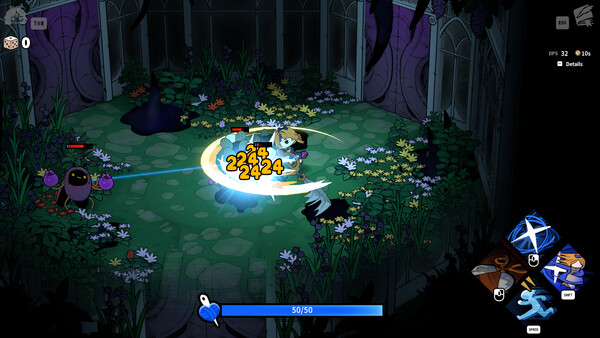
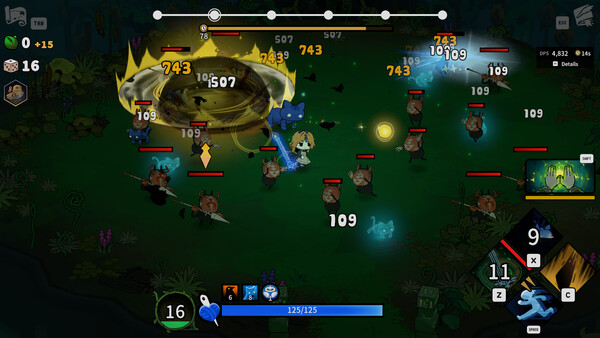
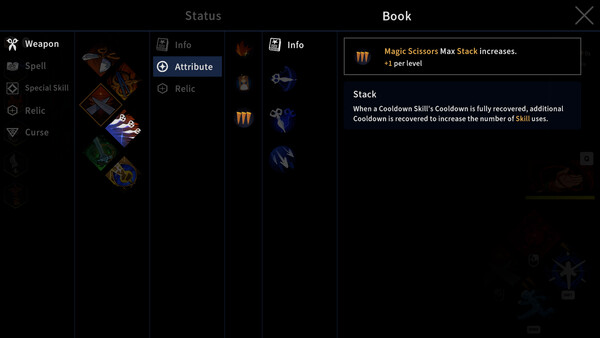
1.0 boundary
Do not copy Early Access builds.
Version 1.0 removed the old Attribute, Synergy and Rune systems and redistributed their roles across Scissors, Spells, Imprints and Relics. A guide that still tells you to stack the old systems needs a current-version rewrite.
Read the 1.0 change map →Game facts
Garden of Witches in version 1.0
Garden of Witches is a PC action roguelike from Team Tapas. You play Sil, fight through repeated runs and progress the story to bring the witches back to their tea party. The full release launched on 28 August 2026.
Version 1.0 full release
Five named Scissors routes
Five chapters + three Epilogues
Challenge Mode after Epilogue 3
Windows PC
Choose by task
What are you trying to solve?
My build feels weak
Compare two documented interaction paths, then use the real-time DPS UI with one-variable changes.
Open best build routes →I do not know which weapon to use
Match the five Scissors to combo, charge or repeated-hit rhythms without inventing missing mechanics.
Compare all Scissors →I am stuck in progression
Follow Chapters 1–5 and Epilogues 1–3, checking the Armory after each clear.
Open the story route →Challenge Mode is missing
Verify the Epilogue 3-cleared save and the Challenge Mode version of Sil's House.
Fix the unlock →Controls feel wrong
Choose between Keyboard & Mouse, Keyboard-Only and Gamepad by the build's input pattern.
Set the controls →An old guide uses Runes
Map the Early Access advice to the rebuilt Scissors, Spells, Imprints and Relics system.
Read the 1.0 boundary →All five weapons
Scissors at a glance
| Scissors | Confirmed identity | Player task |
|---|---|---|
| Scissors | Unique attack after a full combo | Learn safe combo completion |
| Giant Scissors | Unique attack after a full combo | Commit to a deliberate attack chain |
| Magic Scissors | Charge piercing projectiles | Create space, aim and release |
| Broken Scissors | Build Sharpness from hits | Maintain contact for a crit window |
| Singing Scissors | Officially named; detailed current mechanic not sourced here | Read the live tooltip before choosing |
Before the first room
Make four actions feel separate.
Move, aim, attack and dash in a low-pressure space before committing to a route. Keep Keyboard & Mouse when free aim feels natural. Try Keyboard-Only or Gamepad when the pointer competes with movement.
Stay with the default Scissors long enough to recognize its full combo and its unsafe moment. Your supporting Spell or Special Skill should create space for that moment, not start a second unrelated plan.
Follow the complete first-run checklist →Recently updated
Version 1.0 answer set
NEW GUIDE
Challenge Mode unlock and entrance
Epilogue 3, cleared save, Sil's House and door sequence.
EXPANDEDChapter and Epilogue route
All eight story steps with Armory checkpoints.
EXPANDEDArmory loadout decisions
Unlock boundary, testing order and missing-option fixes.
REBUILTBest build comparison
Full loadouts, fallbacks, DPS test method and failure symptoms.
Primary sources
Frequently asked questions
What is Garden of Witches?
Garden of Witches is Team Tapas' PC action roguelike about Sil bringing witches back to the tea party through repeated combat runs.
How many Scissors are in version 1.0?
Official 1.0 materials name five routes: Scissors, Giant Scissors, Magic Scissors, Broken Scissors and Singing Scissors.
How long is the version 1.0 story route?
The confirmed structure is five main chapters followed by Epilogues 1, 2 and 3. Challenge Mode unlocks after Epilogue 3.
Are the builds on this wiki final tier rankings?
No. They are sourced interaction paths with verification steps. Use the 1.0 DPS display and repeatable runs before treating a route as a universal ranking.
First-session answers
Match the symptom to one next action.
| What you see | Read this | Do this next |
|---|---|---|
| You do not know what to press or practice | Beginner Guide | Complete the four-action readiness check |
| A door reward makes no sense | Rooms & Map | Choose recovery first when health limits the run |
| Progress or upgrades appear to be gone | Upgrade Reset Guide | Identify run-only progress versus Tapestry progress |
| Attacks point the wrong way | Controls | Test one complete room with a different scheme |
| Damage improves but the run still fails | Build Planner | Measure clear time and damage taken, not peak DPS |
| The next story step is unclear | Walkthrough | Verify the latest clear on the current save |
Do not change controls, weapon and several rewards at the same time. One deliberate change makes the next result understandable.
Your first 20 minutes
Learn one loop before chasing a perfect build.
1. Rehearse
Move, aim, combo and dash2. Read
Check the next reward icon3. Commit
Support one damage action4. Preserve
Take recovery when health is the bottleneck5. Review
Return home after the run6. Change one thing
Then compare again
Move, aim, combo and dash2. Read
Check the next reward icon3. Commit
Support one damage action4. Preserve
Take recovery when health is the bottleneck5. Review
Return home after the run6. Change one thing
Then compare again
A failed room is useful when it tells you whether the problem was input, route choice, damage uptime or survival. Write down that one failure before changing the loadout. If the next run improves the same symptom, keep the change. If not, restore the baseline.
New unlocks are choices, not automatic upgrades. Practice a new Scissors until you can perform its defining combo, charge or resource loop before comparing it with the default weapon.
Progress explained
Run power and permanent progress are different.
Imprints, Relics and other rewards assembled inside a run are temporary. Returning to Sil's House starts the next attempt without that exact stack. Level-based upgrades selected through the house progression system are permanent and should not silently disappear from the same save.
Version 1.0 launched with reports of permanent upgrade levels resetting after chapter or save transitions. The developer treated those reports as a bug investigation. If that is what happened, stop grinding, preserve the save and record before/after screens.
Diagnose an upgrade reset →Use current 1.0 labels.
Older guides can still mention Attribute, Synergy or Rune systems removed for the full release. When a menu, tooltip or unlock does not match a guide, follow the installed 1.0 screen and use the returning-player change map. Exact preview numbers remain provisional until the current tooltip confirms them.